Ceiling fan transition tutorial: make it from one photo
Upload one photo, tap generate and wait a few minutes. This tutorial covers the quickest way, which versions you can make, how to save credits and how to check the result.
ImgAI · 2026-11-04
One photo, four outfits in 15 seconds. Use the default looks or your own clothes.
Upload a photoCeiling fan transition tutorial: three steps
Change nothing and you still get a video in three steps.
- 1About 10 seconds
Upload a photo
Yourself, an adult who agreed, or your own pet. JPG, PNG or WebP, up to 10 MB. For two people, add a second photo.

- 2Optional
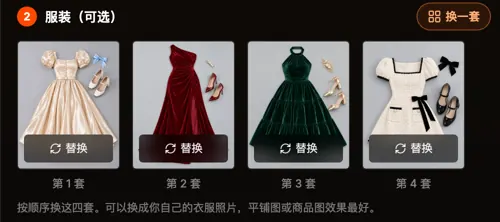
The outfits are already filled in
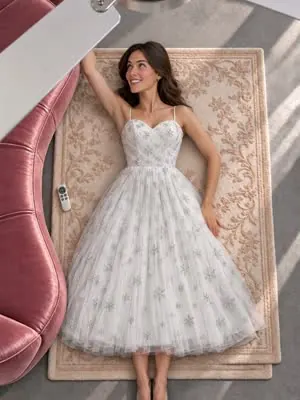
The default four are champagne puff sleeves, burgundy velvet, emerald halter and ivory tweed. To change them, tap Change set for Halloween, Christmas, Lunar New Year or wedding, or tap one outfit and upload your own.
- 3A few minutes
Tap generate and download the MP4
It usually takes a few minutes, longer when there is a queue. You can leave the page and find it in your creations.
Generating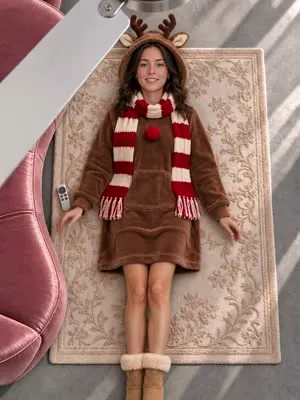
Which ceiling fan transition versions you can make
Many similar tools take one solo photo, with random outfits or a fixed style pack. Here you can make:
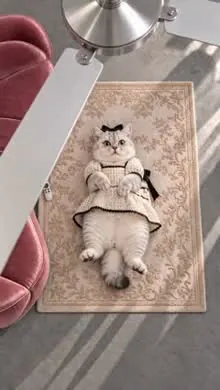
Example: a person and a cat in the Halloween set
Two photos: her half-body photo and a ragdoll cat. Halloween set, no extra idea.


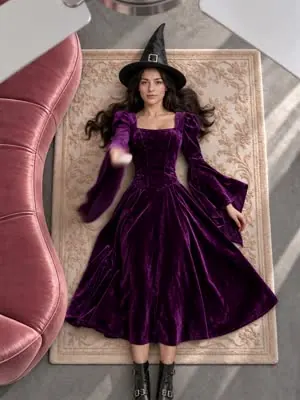
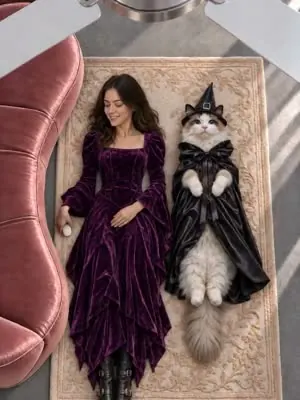 WitchPurple witch dress for her; witch hat and black cape for the cat.
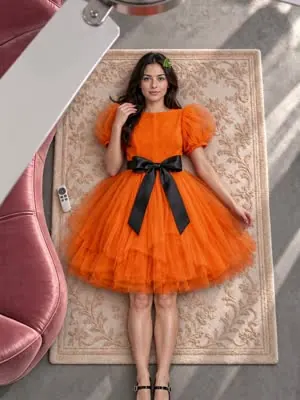
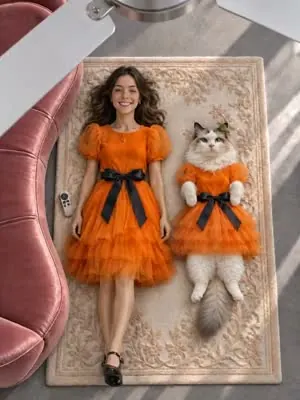 PumpkinBoth in orange tulle with a black bow.
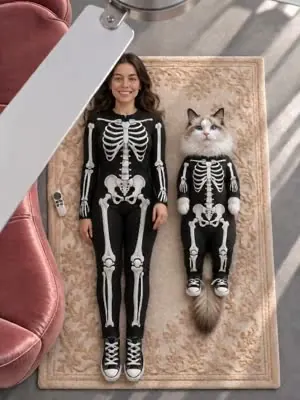 SkeletonSkeleton jumpsuits; the cat's is a small size.
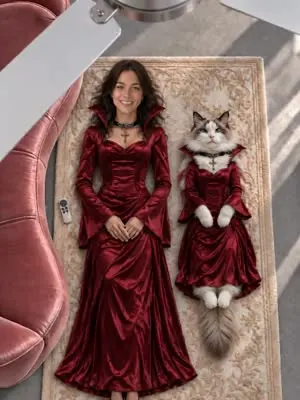 VampireBurgundy gowns, holding to the end.
Seedance 2.0 · 480p · 15 s · 4 outfits · 1,795
The cat keeps four paws and a tail in all four looks, and both change together each time. This sample was made by our team, not by a user. Your result will vary with the photo you upload.
Test with a cheaper setting first
For your first try, use a cheaper model for 5 seconds to see whether the photo and outfits work. When you are happy, switch to the recommended setting for the full 15 seconds.
Other models are available in Settings. Each model gives a different result; this is only a suggestion.
Choose a photo for your ceiling fan transition
Keep the face clear and frame a little wider so the body shows. A full-body photo is best; a half-body photo works too, with the legs and shoes generated for each outfit.
Avoid sunglasses, heavy filters, backlighting and blur. One person per photo; for pets, get the whole animal in frame.
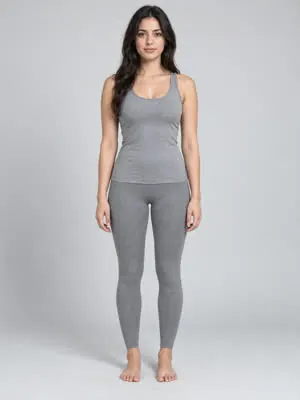

Prepare photos of your own clothes
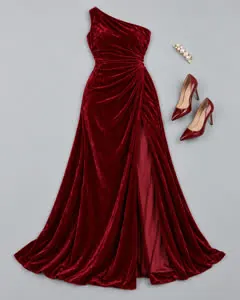
One photo per outfit, laid flat or hanging. Show the whole item, from collar to hem, keep it smooth and use a plain background. The upload order is the change order.
To change only one or two, pick them in Change set and keep the default for the rest.
Extra idea: change the scene in one line
Leave it empty for the default: rolling from the sofa onto the rug, changing on each blade pass. To change it, write one short line:
- Rose petals on the rug
- Lying on a picnic blanket
- Vintage film
- Snow outside the window
- All four outfits in red
The fan, the overhead angle and changing on each blade pass stay the same.
Check the ceiling fan transition result
- Is it the same person in every look? For pets, four paws and a tail throughout.
- How many blade passes: three in 15 seconds, two in 10, one in 5.
- Does the new outfit appear while the blade covers the person?
- Are the outfits and the order the ones you chose?
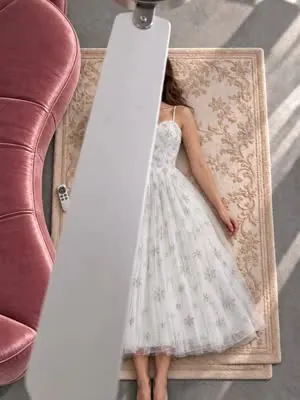
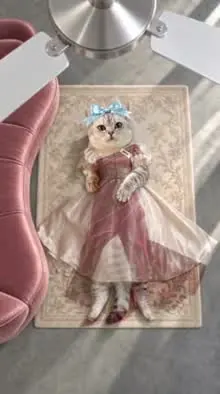
Not happy? Generate again; each try uses credits. Credits are returned when a render fails for a technical reason.
Download and post
Download the MP4 and keep a copy. The video comes with music and is ready to post; to use the trend's sound, swap it in TikTok, add #ceilingfantransition and label the video as AI. Follow this ceiling fan transition tutorial once and your first video takes a few minutes.
Make your ceiling fan transition
One photo, four outfits in 15 seconds. Use the default looks or your own clothes.
Upload a photoKeep reading
Names, when it took off, filming it yourself vs AI.
One full-body photo and the Halloween set. The fan blade passes three times and the outfit changes from witch to pumpkin, skeleton and vampire.
Input photo, settings and the four looks.