How to make the Welcome 2027 video: one photo, one AI clip
Upload a photo, press generate, wait a few minutes. This tutorial covers which photo to use, what to write, how to check the clip and what to do if it fails.
ImgAI · 2026-11-10
One photo, ready in minutes, no filming or editing
Upload a photoStep 1: Pick a photo that works
- Works well
- One person or one animal, clear face, even light, full body or half body.
- Works poorly
- Group photos, tiny faces, side profiles, sunglasses, a pet only half in frame.
- Not allowed
- Photos of children, celebrities or public figures. Photos of people who didn't agree.
Doing it together: add a second photo
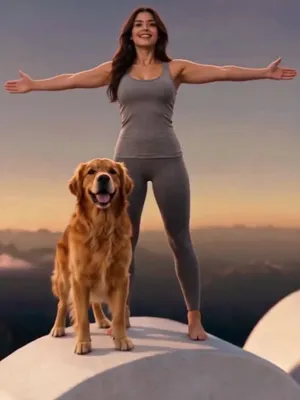
There are two photo slots; the second is optional. With two photos you climb onto 2027 side by side and celebrate on top. Two people, or a person and a pet. One star per photo.
Step 2: Write an idea or not
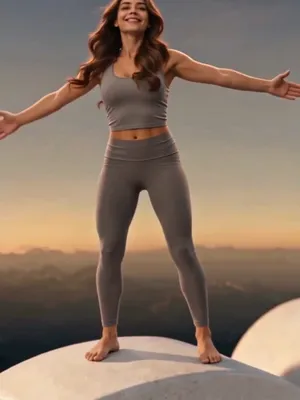
Empty means the original: white stone-look 2027 on a sunset summit with peaks and clouds around. To change something, write one sentence in Your idea.
- Change the number color
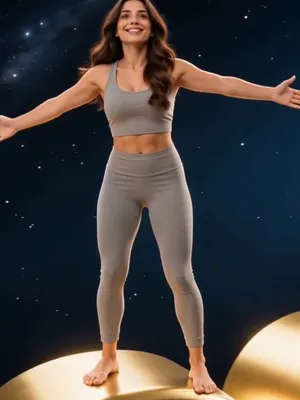
- "glowing gold numbers", "red numbers". Color and material both work; all four digits change together.
- Change the backdrop
- "backdrop is space, blue Earth far below", "a small island in the ocean". The climb and the pull-back stay.
- Change the mountain
- "the mountain is covered in snow". How much snow varies by clip; the more specific you are, the closer it gets.
Step 3: Check four things in the clip
In order: the hands gripping the edge, the face while climbing, the open arms at about 4 seconds, and whether all four digits of 2027 are complete in the wide shot.
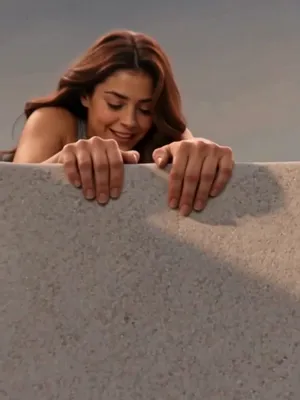 0 to 1 s
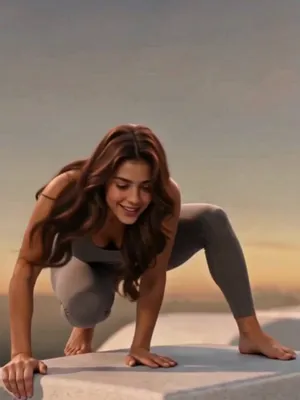 1 to 3 s
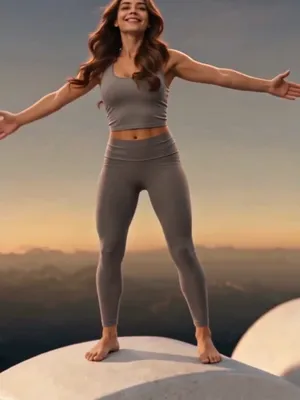 About 4 s
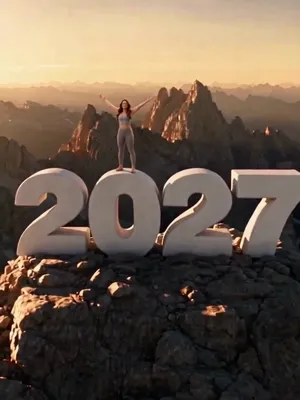 4 to 10 s
How to make Welcome 2027: FAQ
Usually a few minutes. You can leave the page; the finished video shows up in your creations.
There's one length, 10 seconds. The climb and the pull-back are timed to it.
Technical failures refund the credits automatically. You can try again right away.
Results depend on the photo, and there's no automatic refund for not liking it. Try a clearer photo, or write more clearly what you want changed.