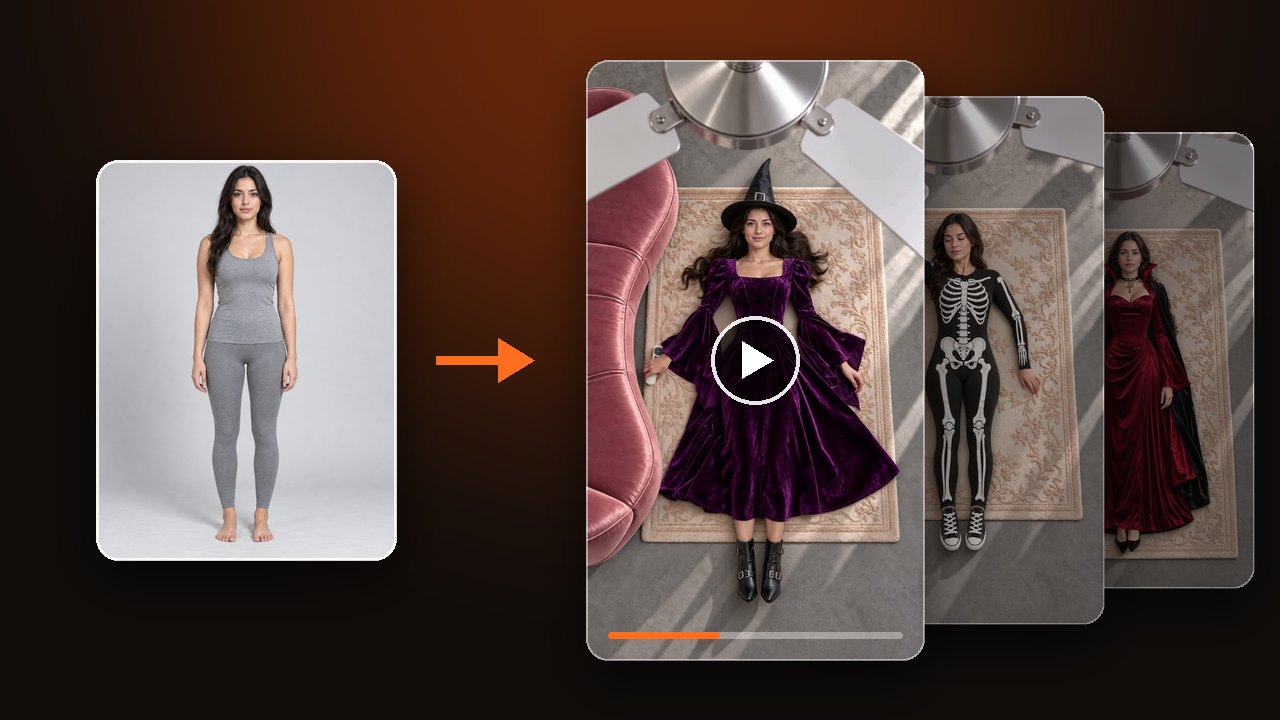
What Is the Ceiling Fan Transition? Fan Outfit Trend
The ceiling fan transition, also called the fan outfit trend, is an overhead outfit-change video: each fan blade pass swaps the clothes. See it beat by beat.
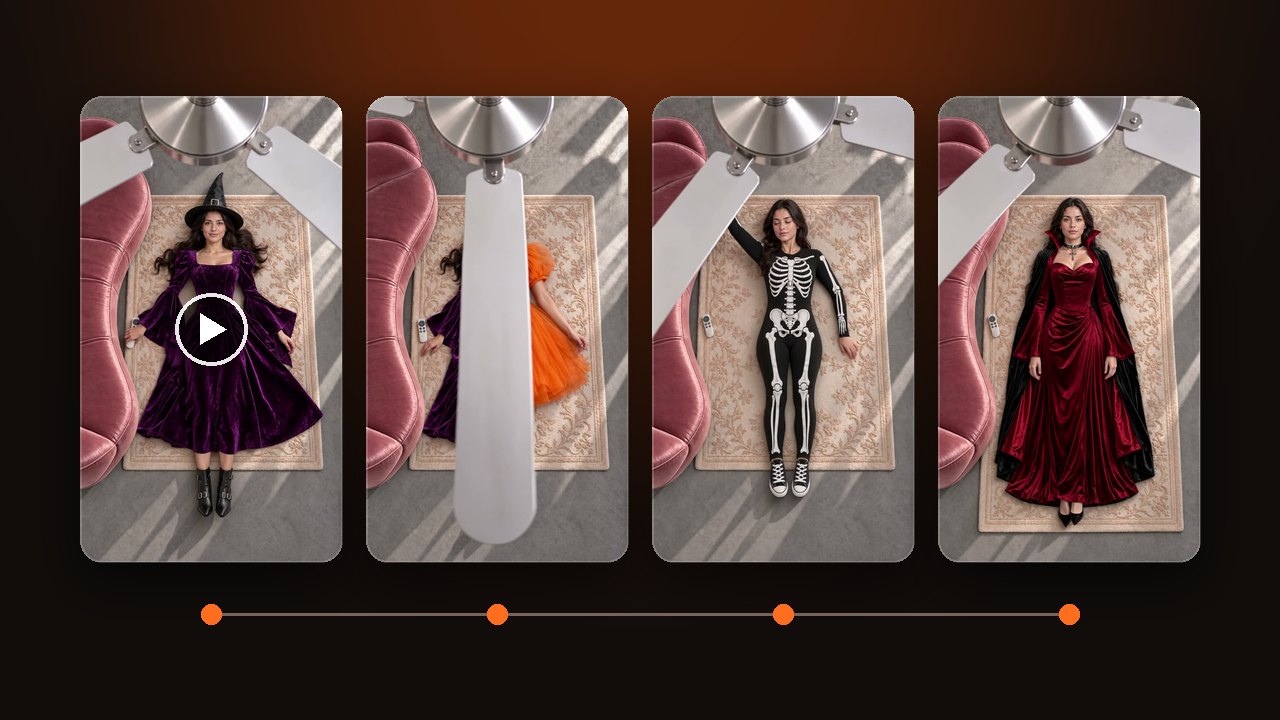

The ceiling fan transition is an outfit-change video shot from the ceiling. Someone lies on a rug, a ceiling fan turns between them and the camera, and each time a blade crosses the lens they are wearing something new.
Three blade passes, four outfits, 15 seconds
Here is a 15-second ceiling fan transition in four Halloween outfits. The change sits exactly where the blade hides the body, which is why it reads as one unbroken shot.
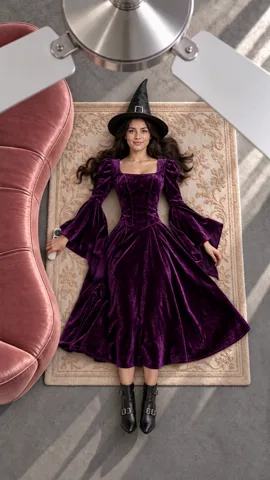
0-4sShe rolls off the sofa onto the rug and clicks a remote at the fan. First look: a purple velvet witch dress.
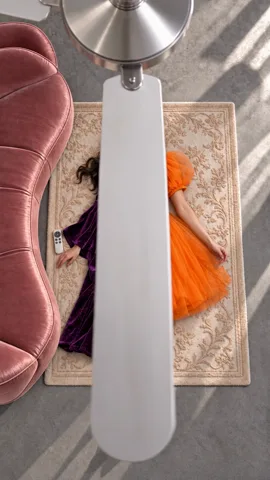
about 4sOne blade sweeps down the frame. Left of the blade is still purple; right of it is already an orange pumpkin tulle dress.
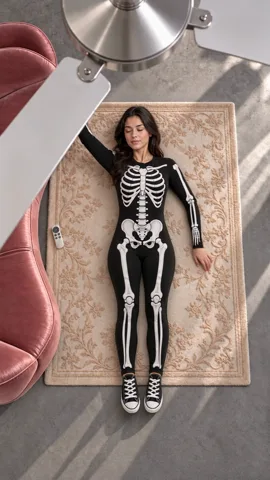
about 8sSecond pass: a skeleton jumpsuit and canvas sneakers, one arm stretched above her head.
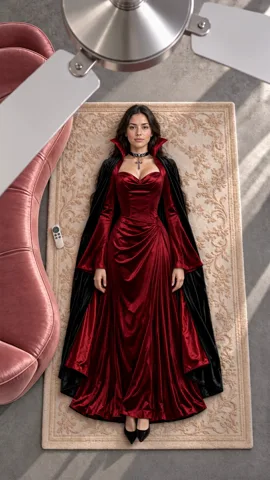
11.5-15sThird pass: a wine-red gown with a black cape. She holds still to the end.
The camera, the rug and the sofa never move, and the remote stays where she dropped it. Only the clothes, shoes and headwear change.
If the clothes change before the blade covers the body, or two outfits show at once, the trick falls apart.
Watch three ceiling fan transition AI video samples
Other names: fan outfit trend, ceiling fan trend
Ceiling fan transition is the most common name. People also search for the fan outfit trend, the ceiling fan trend and the fan transition. They all mean this video. On TikTok, #ceilingfantransition collects them.
"Transition" is the editing word for a cut between two shots. Here the fan blade is the cut.
It has nothing to do with buying or installing a ceiling fan, and a standing fan is not part of it.
It spread on TikTok in late September 2026
Ceiling fan transition videos started appearing in large numbers on TikTok in late September 2026. By 28 September, a how-to write-up had already been published about it.
Later versions brought new themes: Halloween costumes, and cats and dogs on the rug. Outfit accounts use it for four looks from one week, and shops use it to show one piece in four colours.
Who posted the first one has no reliable answer so far.
Filmed ceiling fan transitions and AI ones
Both kinds get posted.
To film it, the phone is mounted straight above you. After each change you lie back in exactly the same spot, and neither the phone nor the light can move. In the edit, you find the frame where the blade covers the lens and join the next outfit there. Use a mount. Do not tie a phone to a moving blade.
The AI kind needs no fan and no filming. One photo goes in, and the room, the top-down angle and the blades are generated. AI versions should be labelled as AI-made when posted, and that label is how viewers can tell them apart.
Make the AI version from one photo
Upload one photo. Keep the four default outfits, pick a Halloween, Christmas, Lunar New Year or Wedding set, or swap in photos of your own clothes. 15 seconds fits four outfits, 10 fits three, 5 fits two.
Cats and dogs can star too. The outfits are sized for the pet.

Use only your own photo or one of an adult who agreed. Children, celebrities and public figures are not supported. The videos here are samples made by our team, not user results.
For how to shoot the clothes and choose the photo, read the ceiling fan transition tutorial. When you are ready, upload a photo for your ceiling fan transition AI video.